Note ·
Windows 95, 98, 2000 and XP with 3D acceleration in QEMU
QEMU Retro: accelerated graphics in old Windows versions, shaders, a two-way clipboard, 3D audio and MIDI.
Yes, you read that right. It is possible, though it does not work straight out of the box with standard QEMU. Over the past few weeks, I have been working on a way to make old operating systems feel as close to the real thing as possible. Not everyone has room for a collection of old PCs, and after all these years the hardware can be just as temperamental as Windows 9x itself.
That is how QEMU Retro came about. I wanted to bring the feel of retro hardware and operating systems to a modern PC. Well, to my PC for now. I still need to check whether I can share my changes to QEMU and the supporting libraries.
For that experience, latency matters most. You know the feeling when you run PCem, DOSBox, VirtualBox or VMware and the desktop works, but it does not respond quite like it did on real hardware? Faster and more immediate. I know it well, and I have been looking for a solution for years. Meanwhile, newer hypervisors gradually dropped support for older systems. First 3D disappeared, then even 2D could be troublesome, and good host integration became harder to find.
So what is working so far?
To start with, I built an entirely new frontend for QEMU.
Sorry about the Polish screenshots. I did not have another ISO handy.
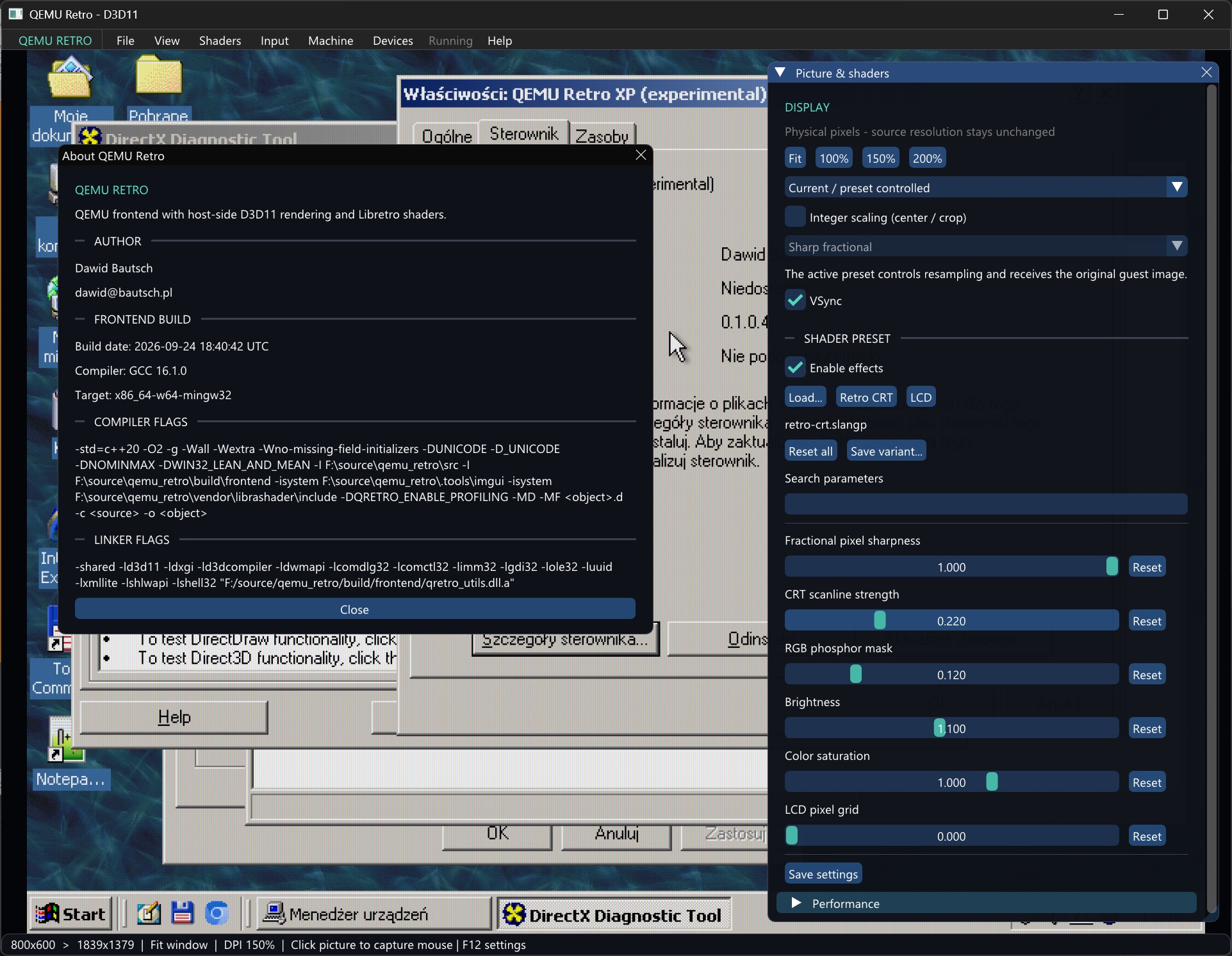
1. An accelerated 3D and 2D driver for Windows 2000 and XP (32-bit)
It supports DirectX 7 and OpenGL 1.1, accelerated blits and 2D GDI operations. It also handles multiple resolutions and 4, 8, 16, 24 and 32-bit color modes.
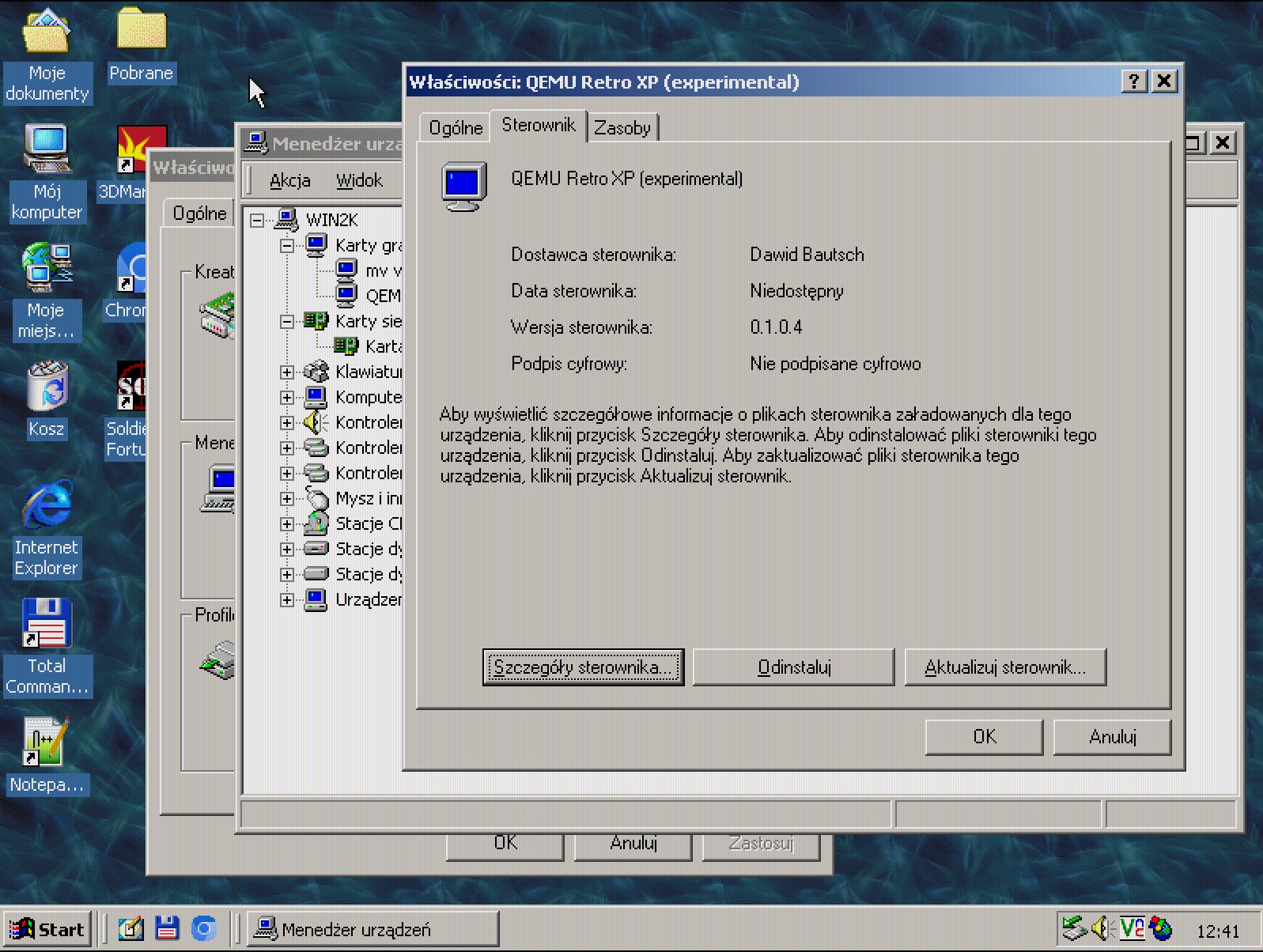
2. An accelerated 3D and 2D driver for Windows 95 and 98
It supports DirectX 6, accelerated 2D GDI operations, multiple resolutions and 4, 8, 16, 24 and 32-bit color modes.
3. A two-way clipboard for Windows 95, 98, 2000 and XP
4. Experimental font smoothing in Windows 2000
The graphics driver implements something similar to ClearType across the whole system. It is a neat feature to try, though it is not fully stable yet.
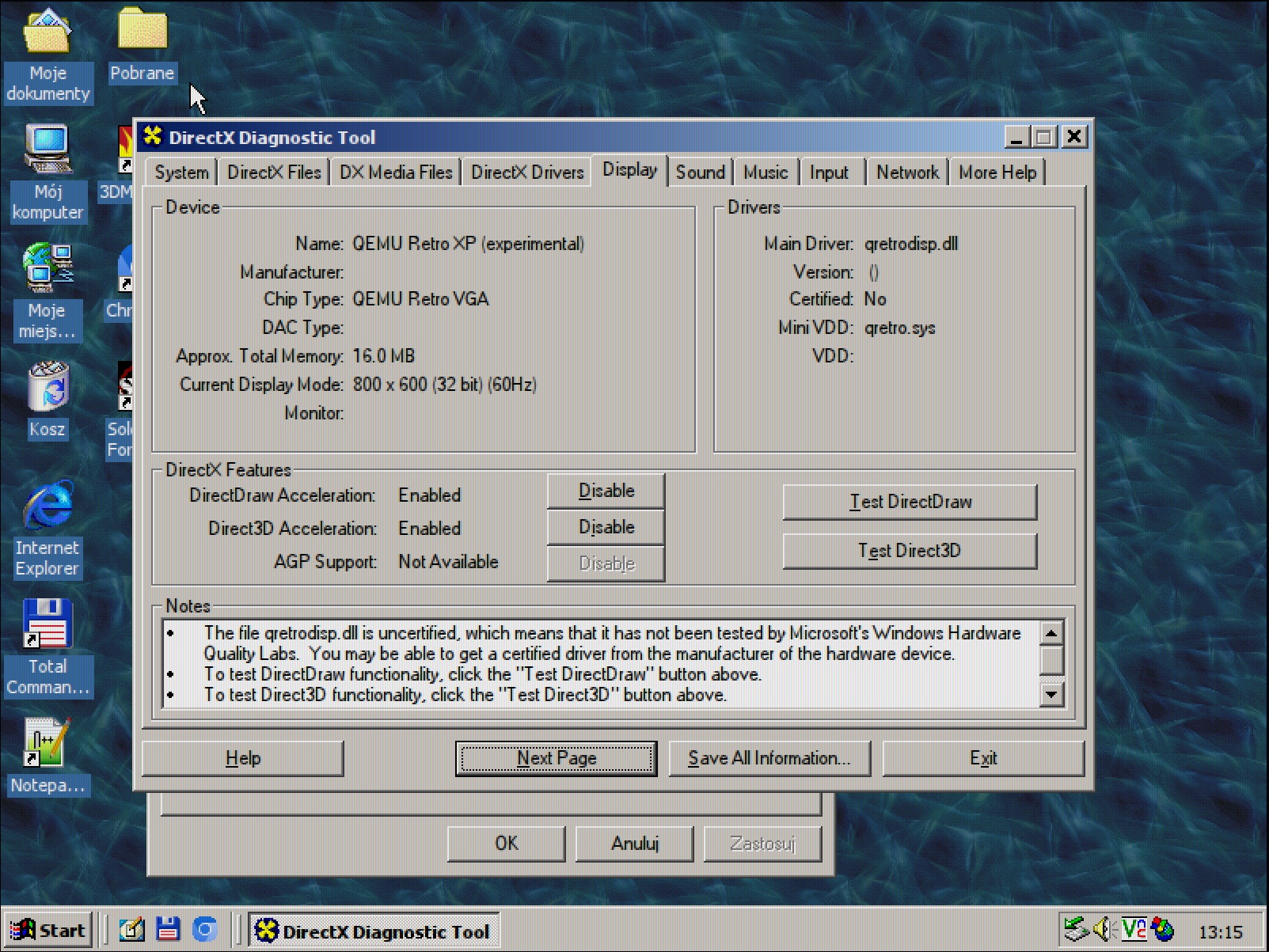
The result will not look the same on every monitor. Text quality depends, among other things, on QEMU scaling, the host monitor’s DPI and the type of display panel. You can enable the feature with the “Smooth edges of screen fonts” option under “Effects” in Display Properties.
5. Retro shaders in my QEMU build
I use librashader because I wanted good performance and realistic effects. The host backend currently uses DirectX 11. For now, the binaries are built only for Windows 10 and 11; a Linux release is on my list.
6. A 3D audio and MIDI driver
I also have a custom audio driver for Windows 2000 and XP, with positional EAX audio for games and MIDI support. FluidSynth handles MIDI sound on the host.
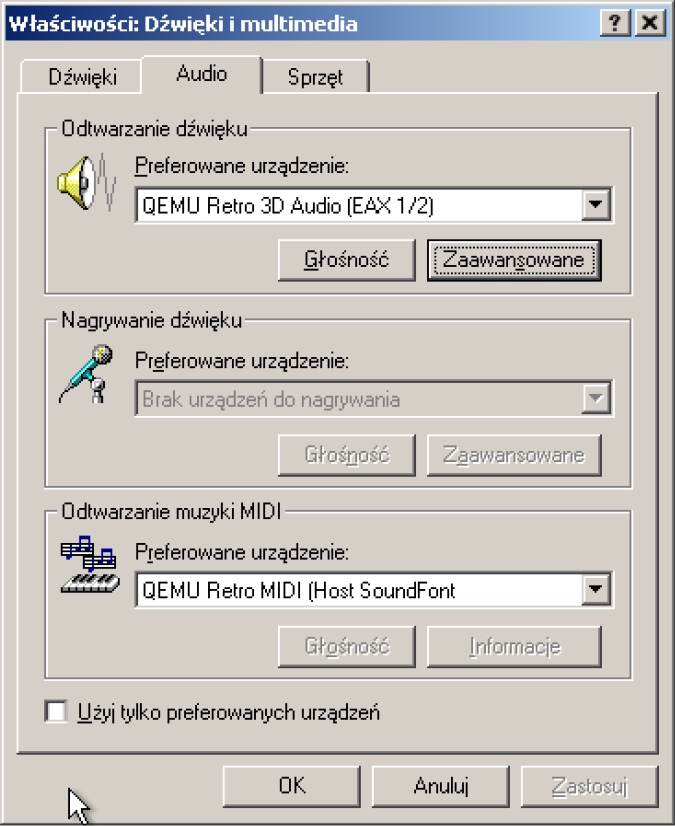
Eventually, I want to bring the driver to Windows 9x as well. Its different driver model means writing the guest-side code from scratch, but the host backend will stay the same.
Watch the MIDI device demonstration on YouTube .
I will share more videos and photos in future posts. For now, consider this a teaser.
Comments
I support a safe internet. You are welcome to join a thoughtful discussion with respect for others.
The Polish and English versions share one discussion. Comments remain in their original language; nicknames are not verified identities.
No comments yet. You can be the first to contribute.
Verification in progress…Your comment has been published. Thank you for joining the discussion!Comments could not be loaded. Please refresh the page shortly.Check the form and complete all required fields.Use 2 to 32 characters for your nickname and 3 to 2000 characters with at most 20 line breaks for your comment.Choose another nickname using A–Z or Polish letters, digits 0–9, spaces, periods, hyphens, or underscores. At least one letter or digit is required. Names suggesting an administrator or AMD representative are reserved.Remove links, HTML, profanity, control characters, or invisible characters and try again.CAPTCHA verification is invalid, expired, or already used. Please complete it again.The spam filter rejected this comment. Review its contents before trying again.Too many attempts or comments from this address. Wait at least 10 minutes; hourly and daily limits may require a longer pause.Publication could not be confirmed. Refresh the comment list before trying again and keep a copy of your text.This comment has already been submitted to this post. Refresh the page to view it.The form could not be renewed. Please wait and select “Add a comment” again; your text remains in the form.